How to Use What3Words
Road XS integrates with What3Words, a service that has divided the world into 3m by 3m squares, each with a unique 3-word code. This enables precise pinpointing of passengers, drivers, and locations, and can be used for accurate navigation. It also ensures greater mileage accuracy and provides the ability to pinpoint rural locations, new housing developments, etc.
To use it:
1. Open a new browser tab and visit www.what3words.com
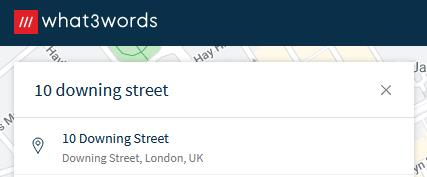
2. Search for the address or manually select the exact square for the location.
3. Copy the 3 words shown by clicking the copy button in the red square:

4. Edit the driver, passenger, or location profiles and look for the What3Word Address Field:

5. Paste the What3Words location here (either using Control Key + V on the keyboard or right-click and press paste using the mouse)
6. Click the Pinpoint location button
7. Observe the map to pinpoint the location
8. Click the save/update button to save the pinpointed location.
The location is then pinpointed accurately.